
VS Revo Group has rolled out a new major version of its uninstaller software, Revo Uninstaller Pro 5, and the update carries a substantial set of changes worth a closer look.
The release focuses on refinements that streamline day-to-day use of the program, from workflow tweaks to visual customization.
Below we walk through what's new in this version.
What's new in Revo Uninstaller Pro 5.0.0?
A built-in uninstall history log
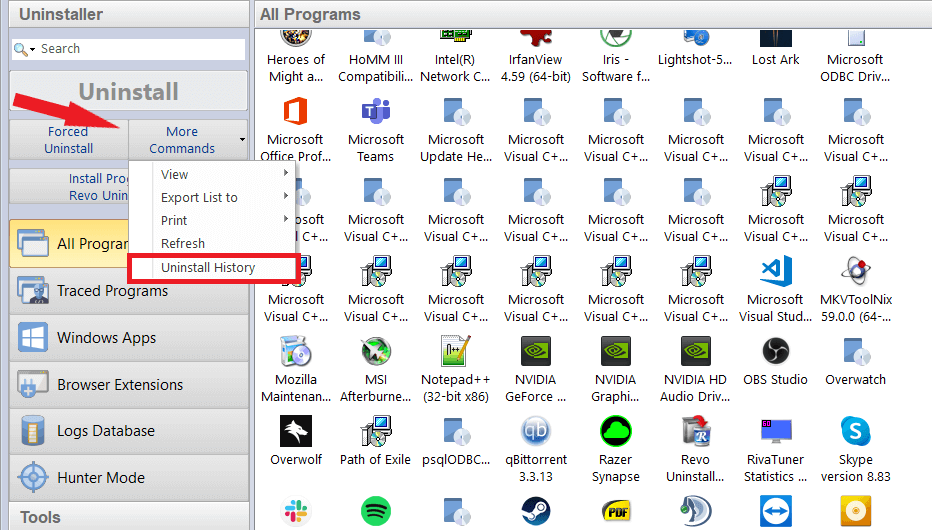
Version 5 introduces a history log that records every uninstall you've run through the program, making it easier to look back at what was removed and when.
Command-line control for Windows Apps and browser add-ons
The Windows Apps module has also been reworked. Alongside the usual point-and-click removal, users can now trigger uninstalls through the command line.
A command-line option for removing browser extensions has been added as well, covering extensions across all of the mainstream browsers.
Three additional Windows tools, plus support for custom entries
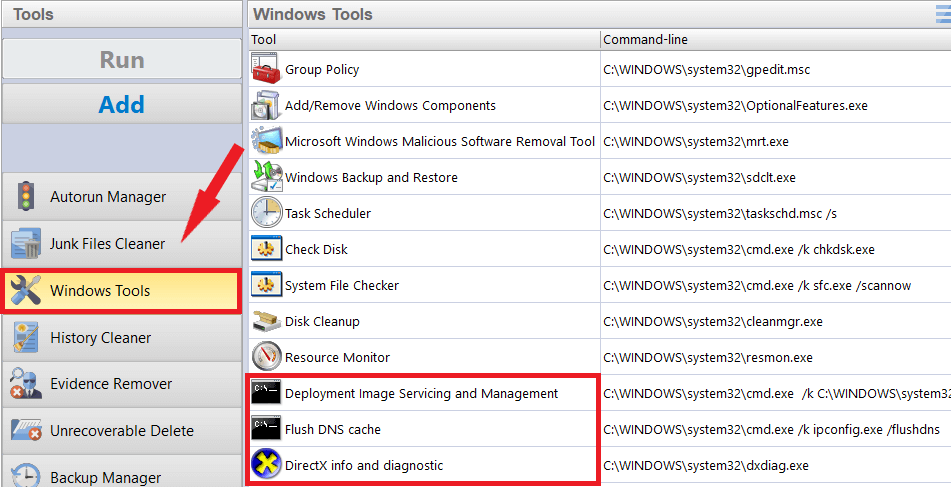
The Windows Tools section now bundles three extra utilities:
- Deployment Image Servicing and Management
- DNS cache flushing
- DirectX information and diagnostics
Users can also register their own custom tools inside this module for quick, one-click access.
Non-admin accounts can now remove software
Standard (non-administrator) Windows accounts gain uninstall rights.
One of the more notable changes in this release is support for uninstalling programs and apps from standard user accounts. People without administrator credentials no longer need to hand the task off to an admin.
Leftover scanning across every user profile
Revo Uninstaller Pro can now check for leftover files and registry traces belonging to other Windows accounts on the same machine, not just the one currently signed in.
A reworked Autorun Manager
The revamped Autorun Manager lists startup apps and lets you toggle which ones launch with Windows, helping trim boot time.
Faster leftover scans overall
Loading and scan times for leftover detection have been cut by roughly 30 to 50 percent, a difference that's most apparent when removing large applications.
Batch removal for apps and browser extensions
You can now select several Windows Apps or browser extensions at once and uninstall them together instead of one at a time.
This extends the earlier Windows Apps improvements by letting multiple items be queued for removal in a single pass.
A dark theme for the interface
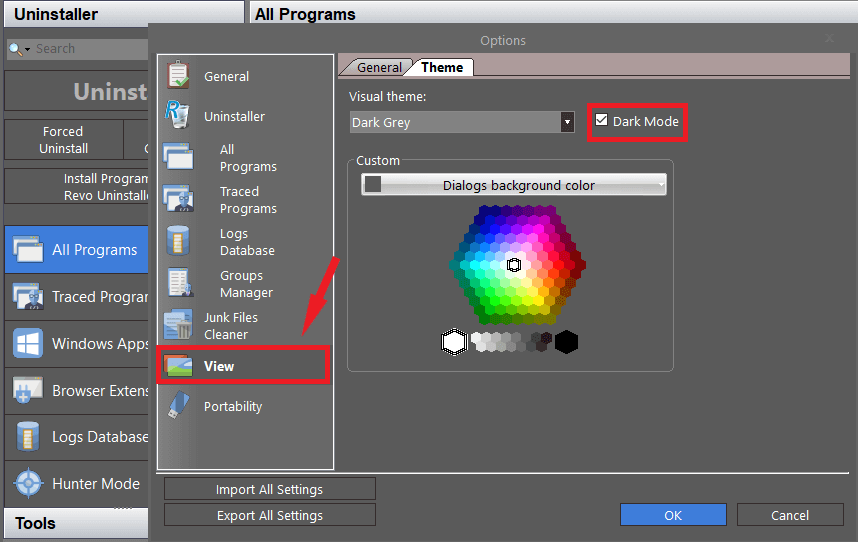
A new dark mode is available for anyone who prefers darker interfaces across their apps; it can be switched on from the settings.
More control over the program's color scheme
If dark mode isn't to your taste, Revo Uninstaller Pro 5 also offers an expanded palette for customizing most of the interface colors, letting you tailor the look beyond the default themes.
A redesigned Quick Uninstall view
The Quick Uninstall module has a cleaner layout and clearer visual feedback during removal. It now surfaces both Windows Apps and browser extensions together, so unused items are easy to spot and clear out.
Where to get it
Those interested in trying these additions can pick up Revo Uninstaller Pro 5 here. Existing subscribers simply need to update to the newest build to access the changes.

No Comments